Smart booking
Booking that bends around real life.
No more back-and-forth texts to find a time. Clients offer, you accept, your real calendar decides what is free, and your cancellation rules apply themselves.
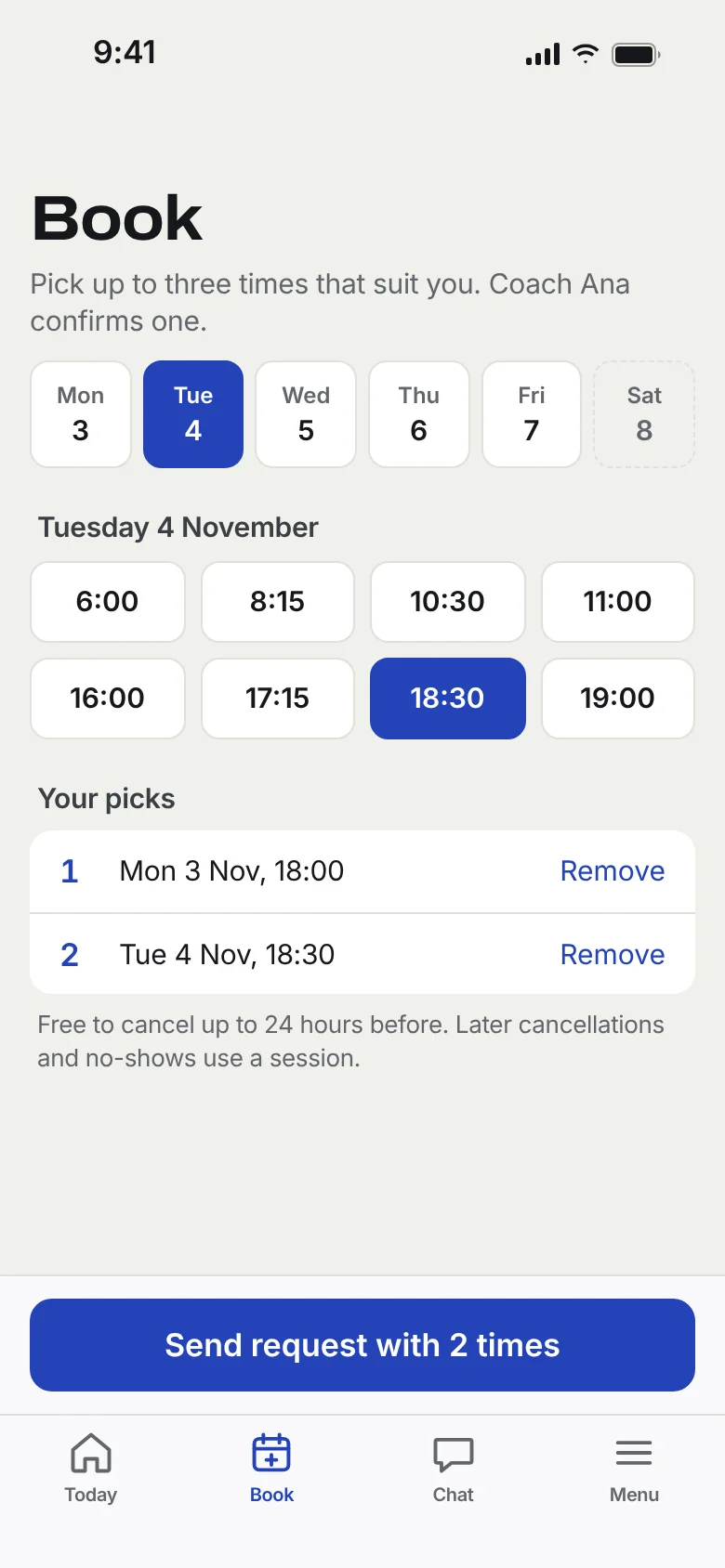
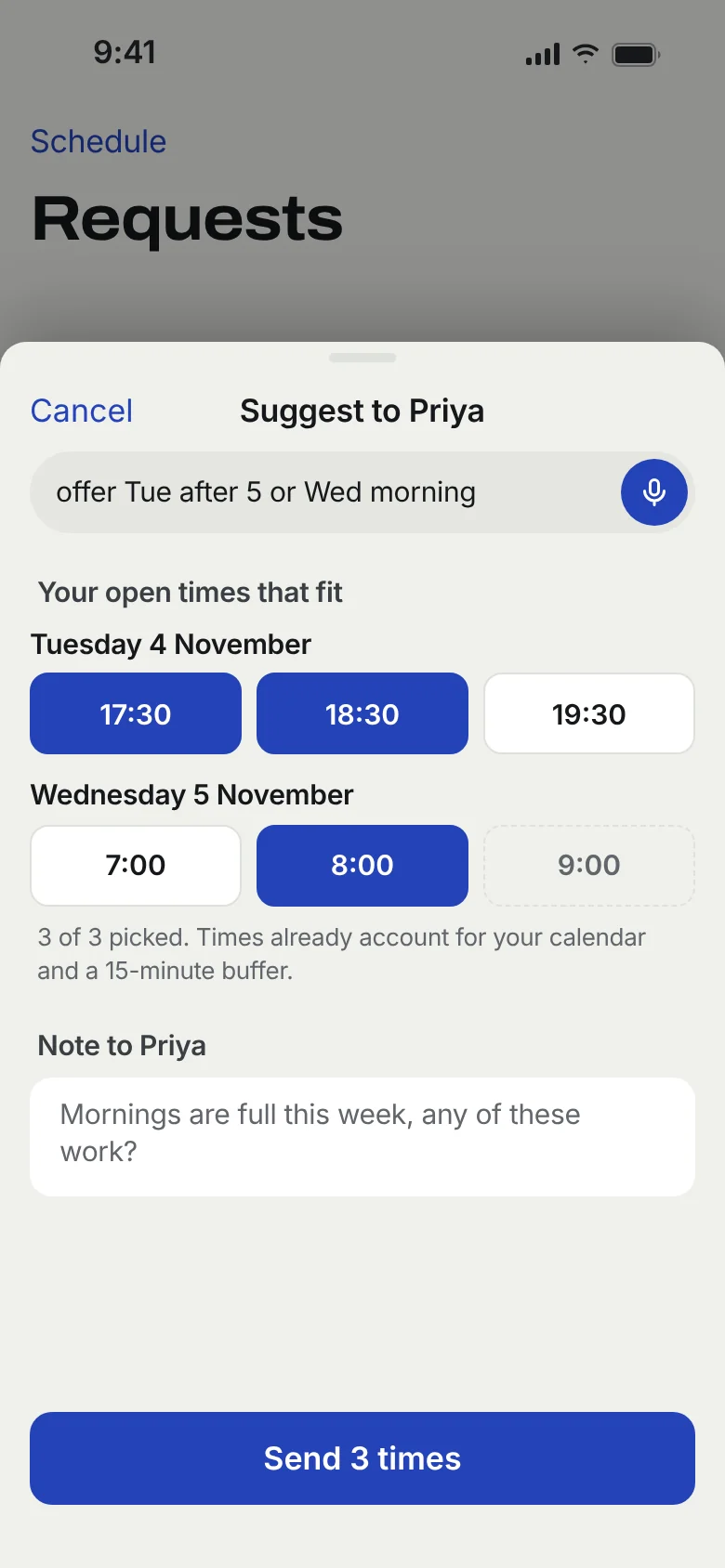
How a session gets booked.
1. The client offers
They pick up to three times from what is actually free, after your calendars' busy blocks are removed.
2. You accept or counter
One tap confirms. Or send back three of yours. Either way the other side gets a push, not a text.
3. Calendars update
The session lands in your Training calendar in Google and on your iPhone. Move it there and the app follows.
4. Reminders and rules
A push before the session. If they cancel late, your notice rule decides what happens to their package, the same way every time.
Packages, balances and the awkward conversation, handled.
- Session packages. Ten sessions, a monthly block, drop-ins. Each booking draws down the balance and both of you can see it.
- Zero-balance rule. Choose whether a client with nothing left can still request a session. The app says no for you, politely.
- Two-way sync. Google Calendar and the iPhone calendar, both directions. A session moved in either place moves everywhere.
- Quiet hours. Nothing pings anyone outside the hours you set.
Questions trainers ask
Does it see my personal calendar?
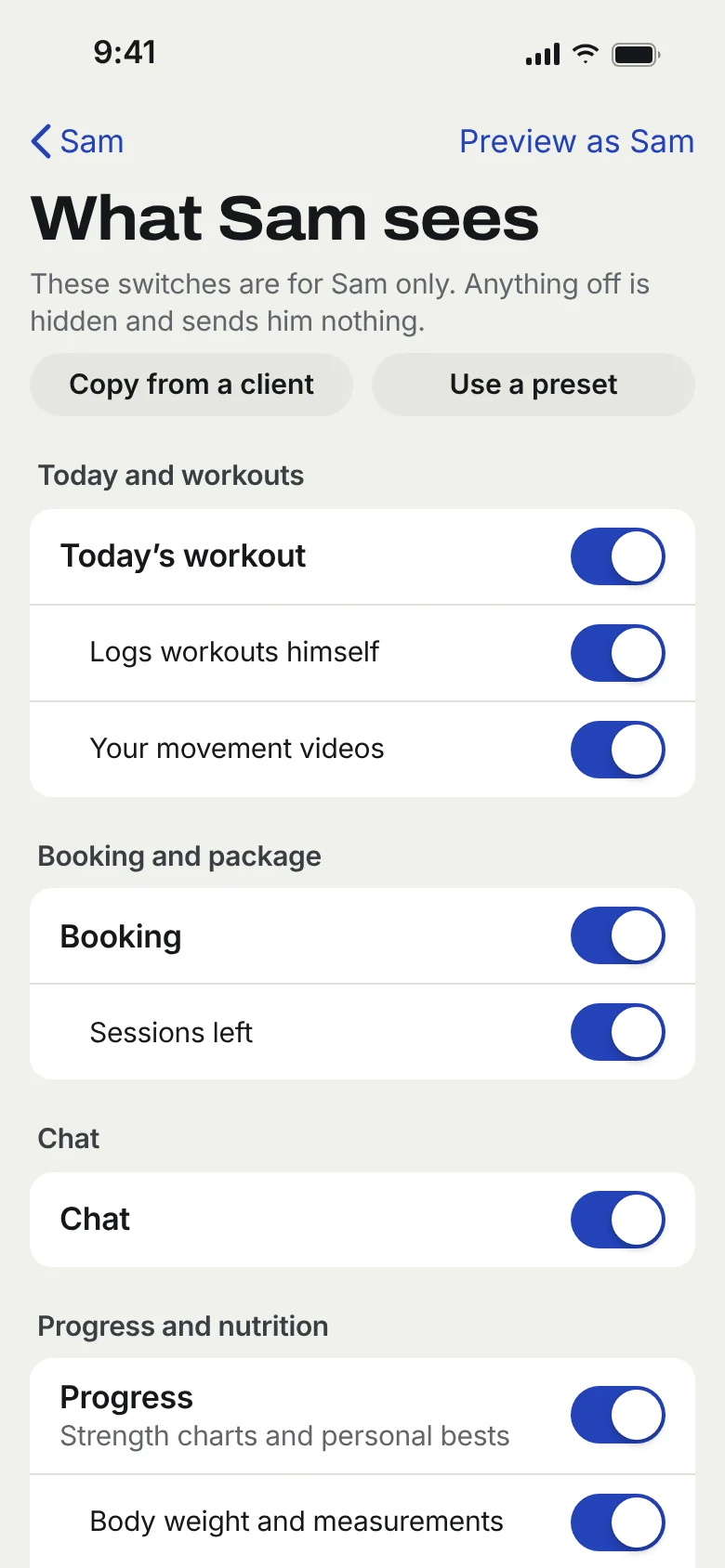
It reads busy times from the Google and iPhone calendars you pick, and writes confirmed sessions to a Training calendar it creates. Clients never see your calendar, only the slots left over.
What if a client wants a time I did not list?
Clients offer up to three times. You accept one in a tap or send three of yours back. Nothing is booked until one of you agrees.
How are late cancellations handled?
You set the notice you need once, per workspace or per client. A late cancel is marked and, if you use packages, counted or not counted exactly as your rule says. Clients see the rule before they book.
Do clients get reminders?
Yes, by push, inside your app, at the time before each session you choose. No SMS fees.
Can I book for a client by voice?
Yes. "Open Tuesday 6am and 7am for Priya" or "Approve Marcus for Thursday 5pm" come back as a draft you confirm.